

How Lumivelle Works And How To Use It
Everything you need to get the most from your 2 in 1 Red Light and EMS Eye Device.
The Idea Behind Lumivelle
Most under eye products are built to hide how tired you look. Concealer, colour correctors, cooling rollers. They mask the surface for a few hours, then wear off.
Lumivelle takes the opposite approach. Instead of covering up dark circles and puffiness, it's designed to work on the two things underneath them: the fluid that pools under your eyes, and the delicate skin and tiny muscles around them. The goal isn't to paint over a tired look. It's to help you stop looking tired in the first place.

Two proven technologies in one device, here's what each one does
The Basics:
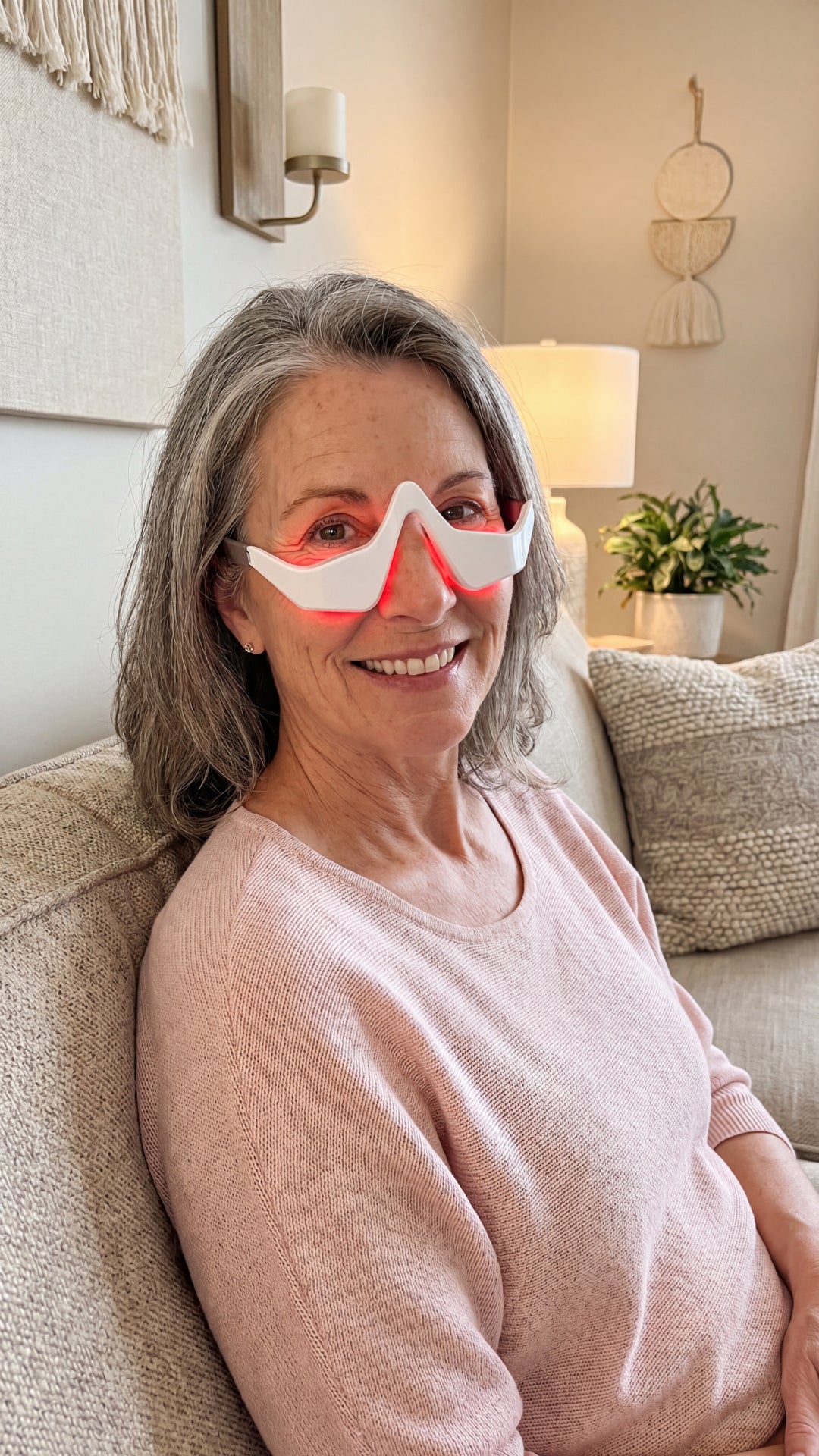
When you turn Lumivelle on, you'll see a warm red glow. This is the same red light wavelength range that NASA has researched for skin and cell health, and that's studied for supporting collagen and the look of brighter, healthier skin. Red light is gentle, with no UV, no heat, and no chemicals, which is why it's suitable for the thin, delicate skin under the eyes.
Why 630–660nm:
This range is the most commonly studied for skin applications, which is why it's what Lumivelle uses.
Why it's gentle:
Red light isn't UV. There's no tanning, no burning, and no heat generated against the skin.
- Support the look of brighter skin
- No UV, no heat, no chemicals
- Gentle enough for daily use
- Made for the delicate under-eye area
The Basics:
The light tingling you feel is the EMS (microcurrent) working. It's the same type of technology used in professional facial treatments. These gentle pulses stimulate the small muscles around the eye and help encourage the natural movement of the fluid that can settle underneath, which is a major cause of that puffy, "bagged" look.
Why the tingle means it's working:
The sensation is the microcurrent conducting through the skin. Feeling it is normal and expected.
Why moisture matters:
Microcurrent only travels through slightly damp skin. This is the #1 reason a device feels weak on one side.
- Encourage natural fluid movement
- Stimulate the small muscles around the eye
- Professional-style technology, at home
- Non-invasive — no needles, no downtime
The Basics:
Together, the red light and EMS are designed to help improve the appearance of dark circles, puffiness, and fine lines around the eyes, without needles, surgery, or downtime.
The short version: the glow is the red light. The tingle is the EMS. You feel both working at once, and that's exactly how it's supposed to feel.
Why both at once:
You're not choosing between light and microcurrent; a single 10-minute session runs both.
What to expect:
Changes to the look of puffiness and dark circles build gradually with regular use, not from one long session.
- Two technologies, one device
- About 10 minutes a day
- No needles, no surgery, no downtime
- Built for consistent daily use
How to Use Lumivelle
You'll use Lumivelle for about 10 minutes, once a day. Consistency is where the results come from, so making it part of your daily routine matters more than any single session.
The one important step people miss: Apply a small amount of gel, or eye cream to both under eye areas before you begin. The EMS pulses can only travel through skin that's slightly damp. If one side is dry, that side won't conduct — it will feel weak or like nothing at all, while the other side feels strong. A thin layer of moisture on both sides fixes this and keeps the treatment even.
Use the conductor gel included with your Lumivelle system.
The 6 Steps:
1: Start with clean skin — remove any makeup, concealer, or eye product first. You want the device touching bare skin.
2:Add a little moisture — gel, or eye cream on both sides. (See above — this one matters most.)
3:Power on — press and hold the button. It starts on Mode 1 at the lowest intensity, which is the best place to begin.
4:Place it correctly — Rest the frame with the notch on the bridge of your nose, both pads flat under your eyes. Make sure you adjust in small increments until it's sitting perfectly even on your face.
5: Adjust to your comfort — increase intensity only as far as feels comfortable. A light tingle is normal. You should never be pressing hard or feeling pain.
6: Let it run — Let your Lumivelle run for 10 minutes before turning it off and ending your session. It will automatically shut off after 13 minutes of use in case you forget to turn it off.
Modes & Settings:
Switch between modes with a quick short press. Each mode resets to the lowest intensity when you switch to it.
Mode 1 — EMS and Red Light, steady pulse (default; best to start with)
Mode 2 — EMS and Red Light, varying pulse
Mode 3 — EMS only, varying pulse (no light)
Mode 4 — Red Light only (no EMS)
The three red dots show your EMS intensity: Low, Medium, High. They always start on Low and reset to Low each time you switch modes. Seeing the dots light up red simply means the device is on and ready.
Turn on/off: press and hold the button
Change modes: quick short press
Automatic shutoff: powers down on its own after 13 minutes
How often: once a day
Use it daily. Red light and EMS work best with consistent, repeated use over time, not one long session.
Always moisten both sides. Uneven tingling almost always means one side is too dry.
Keep contact firm and flush. Light or partial contact weakens the EMS.
Go gentle on intensity. More isn't better. If you notice light marking or tenderness, you're using too much pressure or too high an intensity. Ease off and let the skin rest for a few days if needed.
Give it time. The look of puffiness and dark circles improves gradually with regular use.
Safety:
Lumivelle is designed to be gentle, but because it uses microcurrent (EMS), please keep these in mind.
- Never use directly on the eyeball. Always use on the bone and skin below the eye.
- Do not use on broken, irritated, or infected skin.
- Stop use if you experience pain, significant irritation, or discomfort.

Guarantee + Support
We stand behind Lumivelle. Your order is covered by our 90-day guarantee. Contact us for help with returns.
Questions about your device? Get in touch with Elvory Labs. We're always happy to help!